

Blog
Jun 13th, 2012
Lightroom Questions & Quirks - Number 8
I can’t find the new keyword (Ruby-Crowned Kinglet) I just created? It was supposed to go under the parent folder “ANIMALS/Birds/” but it is nowhere to be found. Arrgh!!!!!!!!!!!!!
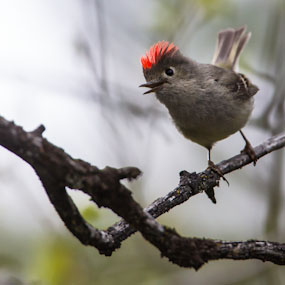
OK, so I caught my breath, and calmly typed in “Ruby-" into the filter keyword search area at the top of my keyword list ….. and there it was inside of YELLOWSTONE THERMALS/Lower Geyser Basin/.
Question No 8: How did that happen? I highlighted and right clicked (Control Click) on Birds and selected “create keyword tag”, but why did it end up under Lower Geyser Basin? In fact, all of my newly created keywords are ending up there.
Answer: Sometimes keywords end up in the wrong place within the hierarchy due to a setting that you do not even realize you have activated. Look at where the keyword ended up, in this case within Lower Geyser Basin in your keyword list. I bet it has an asterisk "*" following it. If so, it means that you have accidently (or not) activated the "Put New Keywords Inside This Keyword" option. Right click (Control Click) on the offending keyword and uncheck the "Put New Keywords Inside This Keyword".
Montana Magazine
Three Owl Days
Recent Entries
- How to become a better wildlife photographer in your own back yard.
- Five Reasons Why I Shoot in Manual Exposure Mode
- Capturing Winter Wonder
- The Artist’s Eye
- Icy Dispatch
- Blogging the Blog - National Wildlife Week
- Bison Behavior and Survival
- Winter Highlights Report
- Coyote Climbs Tree and Steals Bobcat’s Duck!
- Bobcat!
- Hoodoos, Vines & Lost Boys
- African Sky